What the overview shows
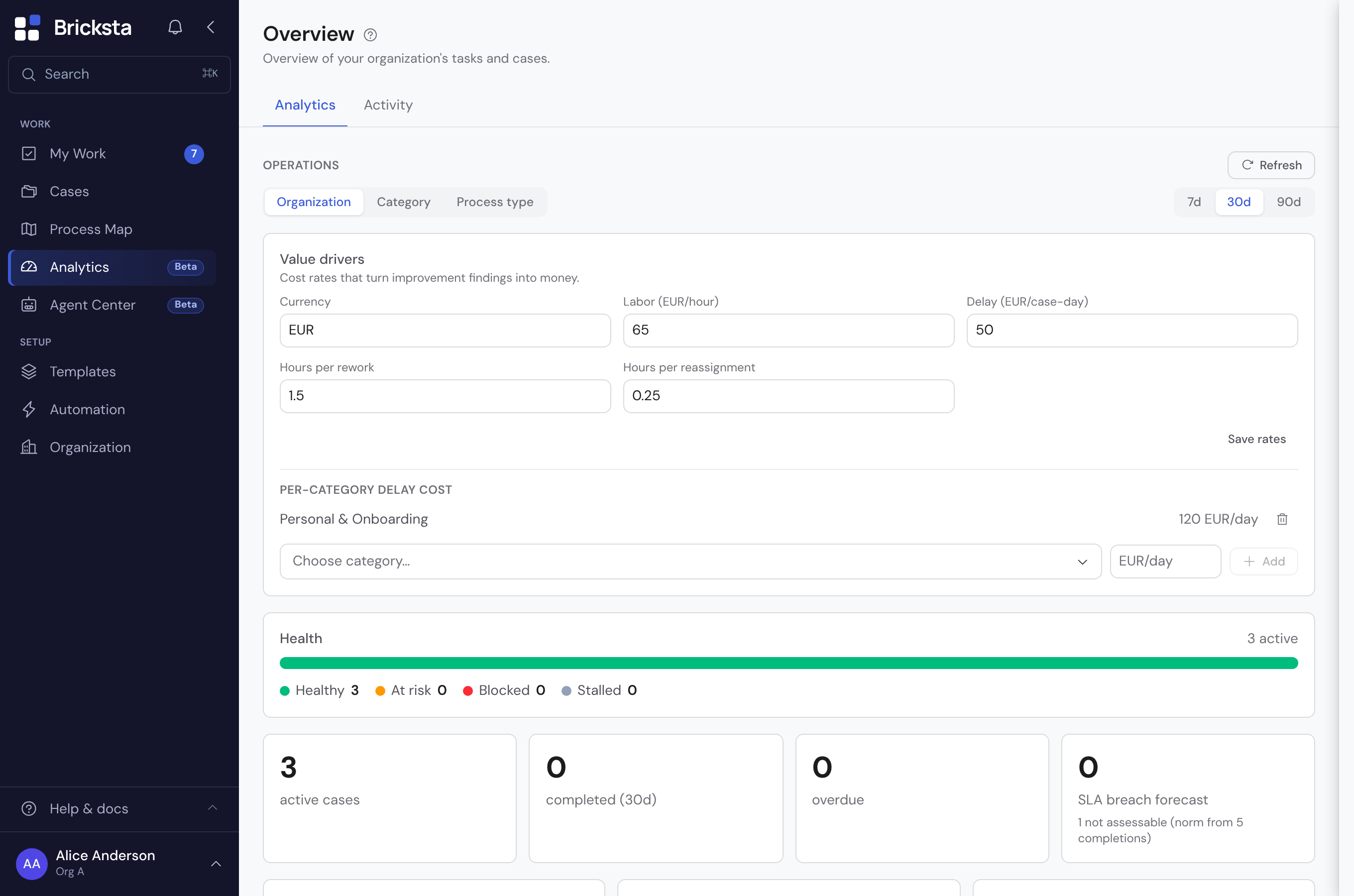
The figures appear as tiles, grouped by My Tasks, Cases and Tasks (organization). Each tile names a number and stands for a particular state. At the bottom, “Active cases per category” sums up the running cases by category.
- My Tasks: open, due today, overdue.
- Cases: active, draft, high/urgent, completed, cancelled and overdue.
- Tasks (organization): open, high/urgent, overdue — the view across the whole team.
- Critical values (overdue) are highlighted in color.
Tiles as entry points
The tiles under My tasks and Cases are springboards: a click opens the matching list — for example all open tasks under My Work or the active cases under Cases. The tile brings its filter along: Completed opens Cases on the Completed tab, Cancelled on the Cancelled tab, Overdue on the Overdue tab. Completed counts only the finished cases, Cancelled only the cancelled ones — each tile names exactly the number of rows on its tab. Without that you would land on the default Open view, which does not contain completed cases at all — the number you just clicked would be nowhere to be found. The Overdue tile counts exactly the cases that the Overdue tab also lists: if an overdue case is blocked, it counts as blocked rather than overdue — blocked beats overdue, because the blockage explains why the deadline passed. It is therefore missing from both the number and the list; you find it via the Blocked refinement. High/urgent opens the Open view and brings along the refinement to the priorities Urgent and High — otherwise you would have to pick the counted cases out of all open ones by hand. Active and Draft open the Open view without further refinement; they are included there, and there is no separate tab for them. The three tiles under Tasks (organization) are figures only: they do not lead anywhere yet, because there is no organization-wide task list so far — which is why they do not highlight on hover either.
A steering layer for managers
Anyone with the “View org-portfolio analytics” permission sees an extra steering layer above the tiles: a scope selector (organization, category, process type) with health, cycle time, throughput, SLA forecast, top improvement opportunities and open escalations. How it works in detail is covered under Analysis & improvement.
Use the overview as the start of your day: first a look at overdue and due today, then jump in where it matters.