On this page
What a trigger is
A trigger receives data from an external system (e.g. a form or a CRM like HubSpot) via a webhook address, creates a case from a template, prefills fields from the delivered data and starts it. This turns an incoming event into a running flow with no intermediate step.
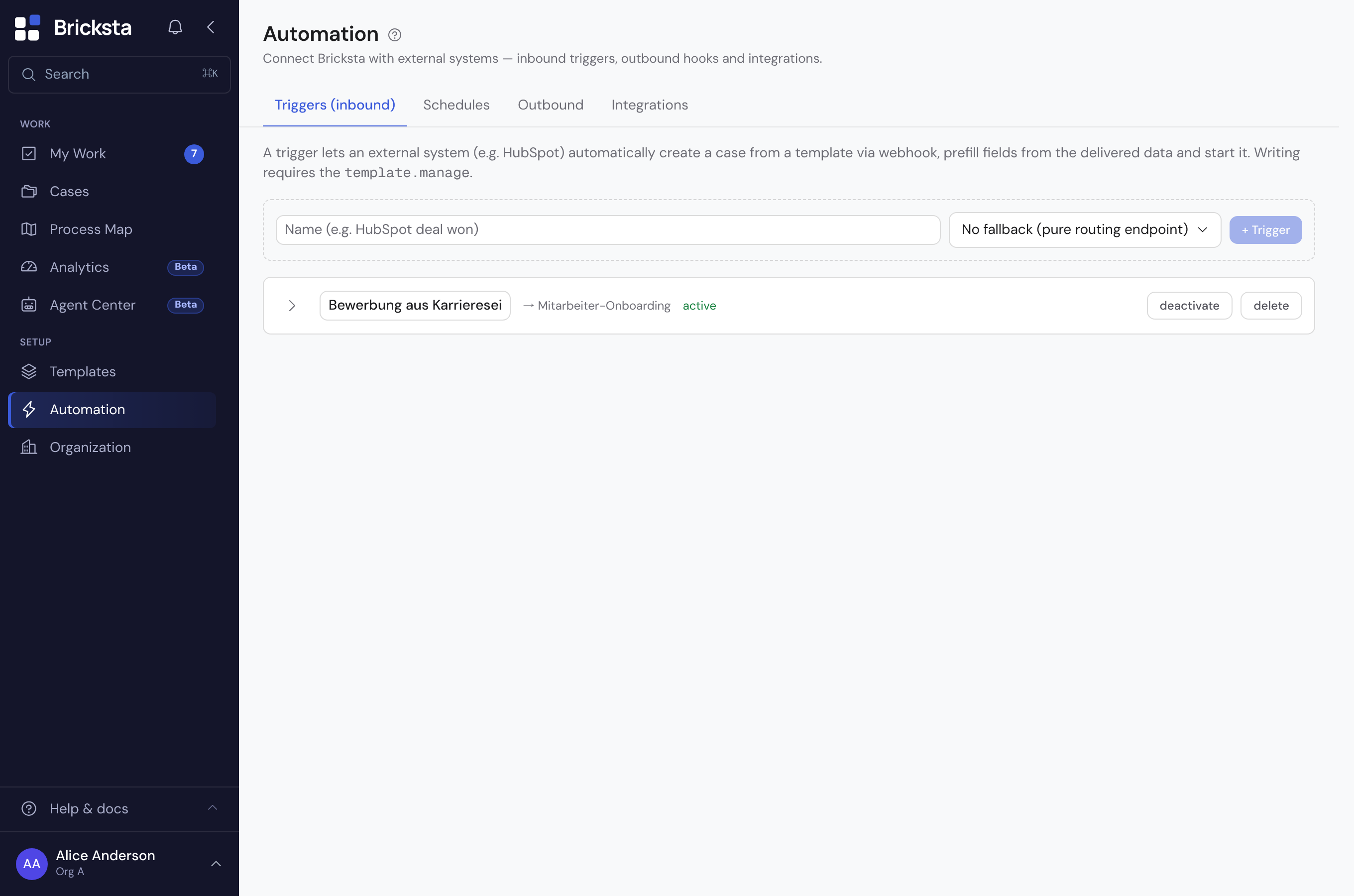
Creating a trigger
- 1Open Triggers (inbound) and create a new one via “+ Trigger”.
- 2Choose the default template (fallback) the case is created from — or leave it empty for a pure routing endpoint.
- 3Connect the external system to the trigger's webhook address.
- 4Map the incoming data fields to the template's fields (field mapping) so the case starts prefilled. A mapping is saved once its field is chosen.
Routing rules
If different inbound events should lead to different templates, you set up routing rules: they pick the matching template based on the incoming data. Without a matching rule, the default template applies. Alternatively the mapping can be AI-assisted based on the content.
The condition “matches (regex)” compares against a regular expression. Bricksta does not save an invalid pattern, such as an unclosed bracket: the rule then shows a note, and it is saved once the pattern is valid. If an older rule still carries an invalid pattern, it is skipped when an event arrives, the other rules still apply, and the entry under “Routing events” names the skipped rule.
For AI-assisted mapping, the minimum confidence sets how certain the AI has to be for its choice to count: a value between 0 and 1, 0.6 by default. If the AI stays below it, the default template applies instead of the guess. The value is saved when you leave the field — not on every keystroke.
A minimum confidence of 0 does not mean “no threshold” — it means “every guess counts”, including a completely unsure one. Set it deliberately, and preferably not below 0.5.
Duplicate inbound events and test run
Using an identifier from the data (idempotency), Bricksta makes sure the same event does not accidentally create two cases. With a test run you check a trigger before it goes live: it creates a real case from sample data, so you can see whether the template and field mapping are correct. Bricksta waits at most two minutes for an answer and then stops waiting. That only ends the display — the endpoint may keep working and still create the case. A second test run of the same trigger then hits that same case instead of creating another one: as long as no answer has arrived, the test run keeps its identifier. Only after an answer — including a rejection — does the next test run count as a new case. “Recent runs” shows you what actually arrived.
Secret and email address
Every trigger has two access keys: the secret for the webhook and its own email address for inbound emails. The external system sends the secret in the x-bricksta-secret header. Bricksta rejects a secret in the URL (?secret=…), because URLs end up in logs. Only members with the template-management right can see and renew the secret and the address; everyone else sees a note in that place.
“Regenerate” or “new address” makes Bricksta generate a new key. The previous one then stays valid for 7 more days so you can swap it in the connected source or in the email forwarding. How long exactly is shown right below. Once the switch is done, or if the old key got into the wrong hands, “Revoke previous now” blocks it immediately.
On whose behalf a trigger acts
A trigger creates cases on behalf of one person and with that person's rights — normally whoever created it. Only an admin may create a trigger on behalf of someone else. If a trigger acts on behalf of another person, only that person or an admin can change what it does: template, category, field mapping, routing rules, AI settings, idempotency, email intake and AI prefill; switching it back on counts as well. Everyone else with the template-management right can rename it, switch it off, delete it and renew its keys. The page says so with a note when you expand the trigger, and the other fields are locked.
Managing triggers requires the template-management right (template.manage).