On this page
The terms on a case
A running case gathers most of the core terms in one place: it is created from a template, is made up of tasks, carries a status and a progress derived from it.
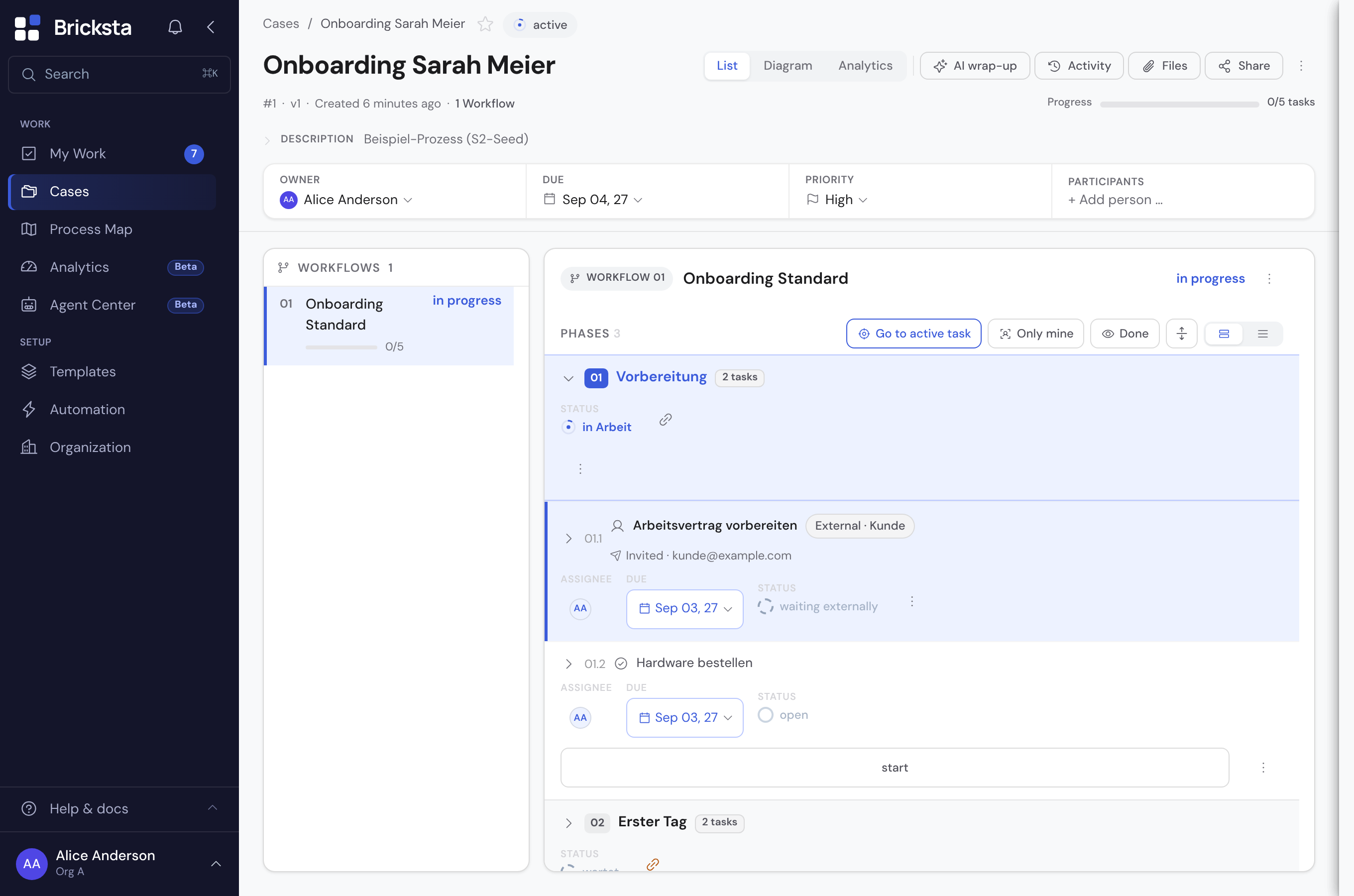
- Template
- The reusable blueprint of a flow: which tasks in which order. The template does not run itself, it describes.
- Draft
- What you change on a template in the editor. The draft does not take effect yet: new cases are created from the most recently published version until you publish it.
- Version
- A published, recorded state of a template, counted as version 1, 2, 3 … A case keeps the version it was created from; only a few settings also take effect in running cases.
- Publish
- Turns the draft into the next version. First a sheet shows the change list and the findings of the check; nothing is published until you confirm there.
- Reset draft
- Brings the state of an earlier version back into a template's draft — the latest one or any older one, even after publishing. Not to be confused with “undo”: that reverses a single step, such as “Undo” after completing a task. Resetting only changes the draft; running cases stay on their version, new ones get the state only after publishing.
- Change list
- What has changed in a template's draft compared with a published version: new, changed, deactivated, deleted or moved, grouped by workflow, phase and task (outcomes and other template-wide parts under “Whole template”). Each entry says how it takes effect — whether running cases keep their state or the change applies to all at once —, plus the check findings and whether an AI assistant has written to the template through the interface since the last version.
- Case
- A concrete run of a template with its own status, progress and history. This is where the work happens. In the menu: Cases.
- Outcome
- How a case ended — won, lost, withdrawn. Which outcomes exist is defined by the template; each carries a valuation that decides its colour. The outcome is not a status: the status says that a case has ended, the outcome says how. Continuous cases have none.
- End on answer
- An answer ends the whole case with an outcome — for example “Take part in the tender?” = No → “Decided not to take part”. Set on the task in its flow (“Ends the case”), evaluated on completion, never on saving. Open tasks are dropped, completed work stays. The task announces it beforehand: a hint below the field and the button “Complete and end case”.
- Outcome missing
- A case has finished and its template defines outcomes — but nobody recorded how it went. Bricksta does not hold up the completion; it marks it visibly instead. Open the case and the note at the top brings the button to record it along with it.
- Follow-up case
- A case created from another case's outcome — say, order processing from a won request. The template decides per outcome whether a follow-up is created, from which template, and which fields carry over. Both cases point at each other; if the outcome is later discarded, the follow-up stays and counts as “orphaned”.
- Absence
- A template whose cases say who is away and when — say, a leave request or a sick note. In the template settings an org admin picks which date field is From and To, which person field is the person affected and, optionally, a yes/no field for a half day (only for a single-day period). The template sets who sees the request; others see person and period only. The setting belongs to the version: running cases keep the one of their version. If someone enters a different person, the entry only counts once that person's management chain has approved it or the submitter may manage personnel.
- Stand-in
- Whoever stands in for an absent person during a period — entered by the person, their manager or someone with “Manage personnel data”, with an open end also without an end date. A self-entry applies only once the manager confirms (the company can switch that off); the stand-in never confirms themselves. The person hands over open tasks voluntarily, with an honest result per task. The stand-in entry asks no reason.
- Team calendar
- The page that shows who is away when — one bar per absence for each person, as month, next 4 weeks or year; on a phone a list per day. Whom you see is set by your company (who sees who is away). Only name, period and status are shown, never the reason. Your own bar leads to your request.
- Counts from
- From which state an absence counts — set in the template settings under “Defaults › Absence”: as soon as the case is requested, approved (all approvals granted) or closed — closed only without a negative outcome. The list says “Counts once requested”, “Counts once approved” or “Counts once closed”. Cancelled and rejected cases never count. While off, the template is not an absence.
- New cases per row
- When a task is completed, every row of a repeatable group becomes a case of its own — say one per quote of a request. Set up on the task in the “After completion” tab, as a sentence: “For each row of [group] a case is created on completion from the template [template].” Below it you choose which values carry over. Unlike a follow-up case, such a case does not hang off an outcome, and the request keeps running. Optionally each case receives a copy of its row’s offer (“PDF of the row”).
- Request
- A case that bundles several offers to one sponsor: the offers are cards in a repeatable group, and when the responsible task is completed, one child case is created per card. The request keeps running, shows its children with status, outcome and amount, and is closed by hand. In the stacks of the case list its children count as soon as there are any — until then the request itself counts. When stacking by a field the children do not carry, the request keeps counting.
- Child case
- A case created from one card of a request — one per offer. It has its own history, its own outcome and its own follow-up case, and shows at the top which request it belongs to. A child case is not a follow-up case: a follow-up is created from a case's outcome when that case ends; a child case from a card, while the request keeps running.
- Overview column
- A field that the template shows as a column in the case list — up to eight per template, each with an aggregate such as sum, count or “Sum weighted by …”. Per column the value appears “in every row” or “only in the total” (then only in the total row). The same field may be a column more than once, say once as a sum and once weighted. Numbers, text, date, yes/no and choice only; no sensitive fields, no files. Set by an org admin, in the template settings or in the field sheet; applies at once, without publishing.
- Sum weighted by …
- An aggregate of an overview column: each case counts the amount weighted by a percent field of the same template, that is amount × weight ÷ 100, rounded to the cent — say offer amount × probability —, and the sum is the sum of these contributions. You give it its name in the list yourself, say “Weighted offer amount”; left empty, the column is called “field × weight”. A case without a weight counts 0 and is named (“1 case without Probability”); if someone cannot see the amount or the weight, the column shows “cannot be calculated”. A click on the figure shows the calculation per case. Target tracking can compare a stack’s target with it. A calculation over today’s cases, not a prediction — not to be confused with the Forecast in analytics, which predicts from the norms of completed cases when a single case will finish.
- Card column
- An overview column taken from a field of a card (a group, say “Offers” with amount, congress and probability per offer). It calculates per case across its cards: a number as a sum or a weighted sum — weighted per card by a number field on the same card or by a field of the case —, a text, choice or dataset field shows the values of the cards and counts them. You can stack by a card field: a case then appears in every stack it has a card for, and each stack counts only its cards. Readable only with the roles of the group; a sensitive group cannot be a column.
- Stack by
- The order of the case list: “Attention” splits into “Needs attention” and “Running”; “Template” forms one stack per template with its count and the sums of the columns — across every match of the filter, only over values you may see; each template sits in a frame with “Whole inventory” (key figure band) and “Shown” (cases, total row with every column — one figure per column). Between the key figure band and the cases a line says how many of the template’s cases you are looking at and why not all of them (“5 of 16 cases · completed only”). By a field (say “Congress”) each value sits in a frame as well: “Whole inventory” with target, bar and tiles over all cases of the stack, “Shown” with “2 of 7 cases”, the cases and the total row per template. Not a filter: the set stays, only the order changes.
- Task
- A single step within a case — with an owner, a status and optionally captured fields.
- Workflow / Phase
- Structuring levels within a template: a workflow is a strand of the flow, a phase a section within it that groups related tasks.
- Status
- The state of a task or a case. In Bricksta the status is the truth — there is no second, diverging progress.
- Progress
- Follows deterministically from the status of a case's tasks — not a manually set value.
The terms of the flow
In the template editor you define the order in which work happens and what occurs when something is rejected or left lying. These terms cover it.
- Dependency
- The rule that says what a step waits for. It always sits on the waiting step, never on the one before it — which is why the editor shows, at each step, what must have happened before it.
- Starts
- The field in every template row that says when a step begins: “at start” (no predecessor), “after 01.4” or, with several predecessors, “after 01.2 and 01.3” (all) or “or” (one is enough); if only a timer opens the task, it shows the clock sign with its rule — the task starts “by timer”. A click opens the dependency editor. The same window opens from “Flow” in the toolbar (workflow), the “Flow” chip in the task sheet and “Set up flow …” in the ⋮ menu. It is called “Flow of “…”” and also shows “Ends when …” (workflow) and “Repeat when …” (phase).
- in sequence · all at once · mixed
- The word in a phase header saying how its tasks start relative to each other: each after the previous one, all without mutual dependency, or partly one way, partly the other (own predecessors, a condition, a branch). It is read from the dependencies, not set.
- Branch
- A point where several paths lead away from the same step. If it says “either-or”, exactly one of them is pursued and the others fall away; without that addition all paths run in parallel. In the BPMN view it is the splitting gateway: “+” all paths at once, “×” exactly one, “○” one or more. Its type follows from the conditions of the paths; a click on the gateway changes it.
- Back-jump
- A connection back to an earlier step — e.g. when an approval is rejected and the rework starts over. A back-jump is not a dependency: it does not say what is waited for, it says where things go back to. It exists between workflows, between phases and — as a task back-jump — between tasks, also across phases: if changes are requested on “Name a substitute”, it goes back to “Check remaining leave”.
- Start when
- The field at the merge point that says HOW MANY predecessors must be satisfied: “all of” (every one must finish — if a predecessor's condition doesn't apply, the step is skipped), “all selected” (every one whose condition applies must finish; bricksta sets this by itself as soon as a predecessor gets a condition), “at least one” (one is enough, several are allowed) or “exactly one” — the latter is the branch: the case continues on exactly one path, the others are skipped. In the BPMN diagram it is the diamond: a click selects it and all four values appear below it — “+” for all of, “○” for all selected and for at least one, “×” for exactly one. In the Flow view it is the “waits for: …” label on the step. 🔑 You set this where the paths MERGE AGAIN — not where they split.
- Default path
- The mark on a dependency into a merge set to “exactly one”: this predecessor releases the successor when no edge of the group applies. Set in the condition form; shown in the BPMN view as a slash at the start of the edge and the label “otherwise”.
- Flow · BPMN
- The two drawings of the same template or case in the diagram, switched via “Flow / BPMN”. Flow is the plain top-to-bottom view; BPMN shows the same process in the standard notation with diamonds, start and end circles and lanes. Not to be confused with the “Flow” chip on a task, which opens its predecessors and successors.
- Round
- How often the same step has already been worked on within a case. After a back-jump or in a phase that repeats, round 2 begins, and what was captured in round 1 stays readable. A task that a timer opens again and again counts its follow-ups instead of rounds: “3. Follow-up”.
- Timer
- The part of Bricksta that carries out a template’s time rules — “Wait …”, “If still open after …”, “Ends after …” and schedules — without anyone being signed in. The history shows “Timer” as the actor wherever something happened at its time. Where Bricksta then draws a consequence itself, such as dropping a task, it shows “Bricksta”.
- Cycle
- A point in time at which a task’s timer (“If still open after …”) fires — with “after 7 days, at most 5 times” on days 7, 14, 21, 28 and 35. “At most 5 times” counts cycles: a cycle counts even if the last follow-up was still open. The case shows, for example, “Cycle 3 of 5”. Not to be confused with the Timer, which runs the cycles of all timers.
- Prepared task · Simple task
- The two ways a timer brings a task. “Open a prepared task” opens a task already created in the same phase, with its form, assignee and due date — such as “Follow-up”; it starts “by timer” and may only be completed internally by a person. “Create a simple task” creates a new task at each cycle, with just a name and no form.
- Follow-on task
- The prepared task a timer opens, seen from the task carrying the timer — such as “Follow-up” on “Customer feedback”. It stands outside the order of the phase and is dropped when the task it starts from ends. Not to be confused with “Create follow-up task”, an action of the escalation rules, or with the follow-up case an outcome creates.
- Dropped
- The state of an open task that is no longer needed — for instance a follow-up once the customer’s feedback is completed, or the open tasks of a workflow that ended early. It does not count towards progress, and whatever was entered in it stays readable.
Structure: category and process type
Categories and process types structure the process map: process types are the bands, categories sit within them and group templates and cases.
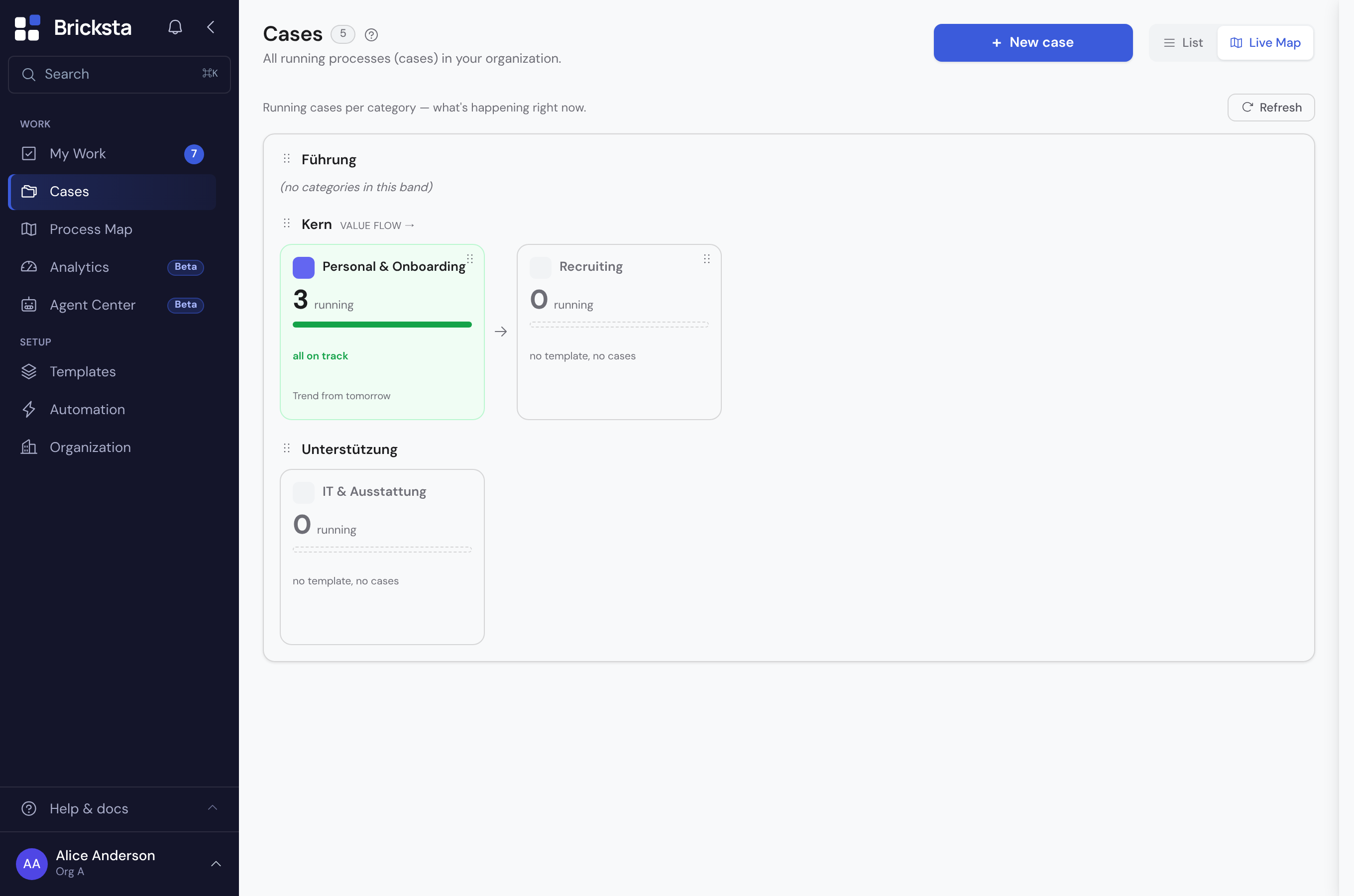
- Category
- An ordering level that groups templates and cases — with a color and an icon, for overview and findability.
- Process owner
- The person accountable for a category — set under Categories, optional. On the process map they appear as an initials badge on the card and in the panel. Not to be confused with the person responsible for an individual case.
- Process type
- The functional kind of a flow (classically Leadership, Core, Support). Process types structure the process map as bands.
- Document template
- The constant part of an offer in one place, found under Templates › Document templates: letterhead with logo, number sequence, validity and text blocks with placeholders such as {{Sponsor}}. The step “Generate offer” turns it into a PDF per case and fills in the changing values. A template used by a step cannot be deleted.
- Emails on completion
- Short emails that go out on their own as soon as someone completes a task — say “Order approved” to the case owner. The flow does not wait for them. Set up on the task in the “After completion” tab; each email has exactly one recipient. They used to be called “auto-emails”. For a message that is a step of its own in the flow and should be reviewed first, use the “Message” task type.
- Version (by field)
- One of several ready-made texts (subject and text) in the “Message” step. A yes/no or choice field of the case decides which version is sent — say “Informal = Yes” for the informal version. If no value matches or the field is empty, the “otherwise (default)” version is sent. Every version can be translated; the version is chosen first, then its language. Not to be confused with the translation of a text into another language or the new version of an offer after a step back.
- Token
- The fixed name under which a field appears in texts: in the subject and text of a message or an email on completion, in an agent's instruction, as a recipient. In the text the inserted field shows its label as a highlighted chip; you can also type it as {{Field label}}. Bricksta assigns the token itself when you name the field, under “Reuse” → “Token for messages and documents” on the field. An agent does not fill an output field without a token.
- Placeholders of the template
- The gaps of a document template, such as {{Sponsor}}. They belong to the document, not to a field: in the “Generate offer” step you assign a field of the process to each of them under “Placeholders of the template”. While one is open, the template cannot be published.
- Conditional text part
- Part of a text that appears only under a condition — such as “ — {{Congress}}” in the title only if a congress has been entered. You select the part and choose “Only show if …”; it is then shaded violet with a bar on the left, with the condition in plain words in front of it. Works in email texts, document templates, the heading at the “Generate offer” step and the title of new cases. Bricksta never leaves anything out on its own.
- Placeholder (example text)
- Grey text in an empty form field that shows what belongs there — say “e.g. 12,500”. Set on the field under “Label”. It is not saved and is not a value. Not to be confused with the placeholders of a document template.
- Generate offer
- A task type in the template editor: Bricksta turns a document template and the values of the case into a PDF with a running offer number and stores it in a file field; a sending step afterwards attaches the newest version. Every placeholder of the template is assigned to a field on the step. If a value is missing, no PDF is created, and the step names on the case what is missing.
- Tax code
- How a customer is taxed — Inland (19%), Inland ermäßigt (7%), EU-Unternehmen (Reverse Charge, 0%), Drittland (0%) or your own. It sits in a company's master record; a formula gets the rate with STEUERSATZ({Customer}; document date). Maintained by people who may “Manage taxes” (Organisation → Taxes → Tax codes).
- As of the document date
- A document uses the tax rate, the company's tax code and the holidays that applied on its date: a later tax change, a new tax code on the company or a holiday entered later does not change it. “How this is calculated” names the date used (“as of 02/10/2026”).
The terms of the stacked view
When you stack the case list by a dataset field, every stack’s “Whole inventory” box shows how far the stack has reached its target. These terms appear there and on the tile beside it.
- Target
- How much a stack should reach when the case list is stacked by a dataset field. It comes from the number column of the dataset row named by the template's target tracking. With the measure “Sum” it is an amount, with “Number of cases” a count (“5 of 8”). If it is missing, the header shows “No target set”.
- Target tracking
- The one place per template (“Calculations” view) that sets up what the header of a stack counts: which dataset field stacks the cases, which columns give target and deadline, the direction, offer and contract amount, the probability, which outcomes count as committed and what the target is compared with (“Compare target with”). Nothing counts by itself — without a setting the header shows no target or no amount.
- Binding phase default
- A switch per phase under “Probability per phase” (view “Calculations”): when the phase starts, the probability is set to its default — even over a value entered by hand and even if no task of the phase carries the field, say “Accepted” 100%, “Declined” 0%. Without the switch the default only suggests. Applies right away, without publishing.
- Probability per offer
- The probability as a number in a card (per offer) instead of once per case — chosen in target tracking as “card › field”. A phase default then applies per card; per phase it can be limited to cards that meet a condition (“Only for cards where …”), the other cards get a value of their own. Below the value in the card it says where it comes from.
- Committed
- What a stack already has for certain: the sum of its cases with a committed outcome, each with its contract amount (without a contract amount, with the offer amount) — with the measure “Number of cases” their number. Running cases do not count here yet. If no column is chosen under “Compare target with”, the header compares the target with committed.
- Compare target with
- The target tracking setting that decides which figure a stack measures its target against: an overview column of the same template that sums — plainly or weighted, say “Weighted offer amount”. A stack’s “Whole inventory” box names the figure with the column's name (“Weighted offer amount €34,000 of €50,000”), with a traffic light by the view's limits (default red below 60%, green from 90%); a click shows the calculation per case. Without a choice the header compares with committed, as it does with the measure “Number of cases”. Applies at once to all running cases, without publishing.
- Gap
- Target minus the figure the target tracking compares the target with (the chosen column, without a choice committed): what is still missing to reach the target. If it is open and the deadline is no further away than the view's warning threshold (30 days by default), a yellow badge warns “Gap · N days left”.
- Missed
- What the gap becomes once the deadline has passed: the amount that was short of the target.
- Deadline
- By when a stack should reach its target. It comes from a date column of the dataset row, the first one unless you choose another. Once it has passed, the header shows “Deadline passed”. Not to be confused with the overrun days in analytics, which count a missed task due date.
- Cap
- The target of a view with the direction “Stay within cap”: an amount that should not be exceeded, such as a budget. From 90 % used, a yellow badge warns.
- Headroom
- Cap minus the compared figure (the column chosen under “Compare target with”, without a choice committed): how much room is left below the cap.
- Overrun
- How far the compared figure (the chosen column, without a choice committed) lies above the cap; red in the bar. An overrun is never offset against the headroom of another stack.
- Action needed
- Tile and filter of a stacked case list. It counts cases without activity for at least ten days, cases with an overdue due date or overdue task, overdue follow-up cases and stacks with a warning; a click shows only these. Not to be confused with “Act now” in analytics: Action needed is a set across the list, “Act now” the call to action on a single case.
- Saved views
- Your own tabs in the case list that remember filters, stacking, target, deadline, direction and measure. Personal at first; with “Share with the organization” every member sees the view, each only with the cases they are allowed to see.
The terms of calculations
- Calculation
- A value the database calculates in every case from other fields — say the sum of all item prices, an amount less a discount or a weighted sum of amount × probability. All calculations of a template appear in the “Calculations” view as a card with sentence, example and “Affects”; each is saved as a formula.
- Sentence builder
- How you create and edit a calculation without typing a formula: a sentence made of choices (“[Net amount] [less … %] [Discount]”), below it how it reads and the result with test values. For an existing calculation it only opens when its formula fits its building blocks without loss.
- Expert view
- The formula of a calculation in the form, written as in a spreadsheet. “Edit” leads there for a formula that does not fit the sentence builder, and so does “Expert view (formula)” from the builder.
The terms of a case's analytics
The "Analytics" tab of a case measures the process, not the person. These terms appear there on tiles, rows and cards.
- Cycle time
- The time from a case's creation to its completion — for a running case "so far", up to today. The reference for norm, forecast and time shares.
- Norm
- The median cycle time of the last 20 completed cases of the same template, from five completions on. The comparison figure, not the forecast.
- Provisional norm
- The same calculation over the visible completions when there are fewer than five — with the case count beside it, so nobody takes it for reliable.
- Plan cycle time
- The sum of task due dates along the longest path of the template, from the snapshot frozen at start. The yardstick where no norm exists yet.
- Forecast
- The expected completion: today plus the norms of the phases still open along the longest path per workflow. "At the earliest" when a running phase has already used up its norm. Not to be confused with a "Sum weighted by …" in the case list: that is a sum over today's cases, not a prediction.
- Forecast per phase
- An expected start and end for every open phase; on the timeline a dashed box to the right of today.
- Waiting time
- The time a task was open without anyone working on it — measured per task and summed over all; that is why it can exceed the cycle time.
- Blocked time
- The time a task was explicitly blocked.
- Time outside
- The time portal tasks or external approvals lay outside the house — as a sum for the case, never per person. The surface names the participant by their role (Bewerber:in, Lieferant) rather than calling everyone a customer.
- Time-share bar
- Waiting, blocked and time outside as shares of the elapsed time. Shown only from two distinct workers on, because otherwise the remainder would be one person's working time.
- Working span
- The time from a task's start to its completion. Deliberately not shown on the case: for one person it would be their performance.
- Target effort
- An effort stored on the task definition that the working span would be compared with. Not built, because it would be a person figure.
- Bottleneck
- The running phase furthest past its norm. Listed under "Act now" with a jump to the phase.
- Standing
- Where a running case's elapsed time stands among the last 20 completions of its template: faster than the median, slower than the median, slower than 90% — fixed reference points, not a rank.
- Process deviation
- Tasks that were not in the template (ad hoc) or were skipped. Formerly "plan deviation"; renamed so that "plan" is free for the plan cycle time.
- Automation share
- The share of completed tasks done by an agent or the system — on the case only from two human workers on, the template average regardless.
- Act now
- The block of action rows: findings, bottleneck, customer, action step, agent — every row names a task or phase and has a jump. Not to be confused with "Action needed", the tile of a stacked case list that counts cases across the whole list.
The terms of translating
You build in one language and translate in a mode of its own. How that works is in the article “Translating content”.
- Base language
- The language your organization builds in. Every translation refers to it; wherever there is no reviewed translation, everyone reads the base language. Set under Organization → Master data.
- Content languages
- The languages you translate into — in addition to the base language, chosen under Organization → Translations. A content language nobody reads the app in carries an envelope icon: its texts only arrive in emails to contacts with that language.
- Target language
- The one content language you are translating right now. The form shows it, with the original greyed out above.
- Translation mode
- When a target language is picked in the language switch at the top of an editing page, the page is there for translating rather than building. The mode applies for the session, on every page; the base segment switches back.
The terms of the leave account
A leave account is a ledger: Bricksta never changes a balance, it adds bookings. It is visible to the person, their direct manager and anyone allowed to “Manage personnel data”.
- Account
- A person's leave account for one calendar year. It is created by the first booking; its balance is the sum of its entries.
- Booking
- A booking as a whole: when, who, on what occasion (such as approving a request) and on what basis. A booking can carry entries on several yearly accounts and is never changed or deleted — not even when the person is erased.
- Entry
- A single signed amount in days on an account, for example −3 for three days of leave taken.
- Counter-booking
- How a booking is reversed: a new booking mirrors each of its entries with the opposite sign. A reversal always covers the whole booking.
- Pot
- Where a day of leave comes from, such as carry-over from the previous year, statutory or contractual entitlement. Every deduction records its pot as an entry of its own.
- Annual entitlement
- A person's leave days for one year: the company default or their own value in the profile, adjusted for part-time and joining date. The statutory part is always calculated by §§ 4 and 5 BUrlG (joining by 01.07.: full, otherwise one twelfth per full month) and is the floor; “pro rata” and “rounding” only affect the contractual part.
- Remaining leave 2026
- What is left on the leave account at the end of a year, say the remaining leave from 2026. At the year-end rollover it carries over into the new year or is forfeited.
- Opening balance
- The remaining leave from your previous list, taken over once per person before Bricksta keeps the leave account — by hand or pasted from Excel. It carries over in full at the first rollover and is fixed once booked.
- Carry-over
- The remaining leave of the old year that Bricksta books into the new year on 01.01. The company's rule applies to the contractual part, “always” or “only with a reason” to the statutory part.
- Forfeiture
- The part of the remaining leave that does not carry over. According to case law, statutory leave is only forfeited if the person was informed beforehand about remaining leave and forfeiture. Forfeiture of the carry-over on 31.03. is coming by 31.03.2027.
- Check point
- A note in the preview of the year-end rollover where Bricksta assumes something or does not calculate by itself — say, a missing joining date or a part-time change during the year. It is booked anyway — unless an amount does not fit the step size.
- Reason given
- A tick per person in the preview when the company only carries over statutory remaining leave with a reason (urgent operational or personal reasons, § 7 (3) BUrlG). Without the tick it carries over anyway — Bricksta then shows “Check notice to the person” and lets nothing lapse by itself.
- Year-end rollover
- The booking on 01.01.: per person the new annual entitlement and the carry-over. You confirm the preview from 01.12., Bricksta books by itself on 01.01. and catches up; without a confirmation Bricksta books nothing.
The terms of the organization
- Section
- The top level of the Organization page: General, Members & permissions, Calendar, Taxes, Contacts & documents and AI & assistants. A section groups related pages and carries no permission of its own — you see it as soon as you may open one of its pages.
- Page (of a section)
- One page inside a section, e.g. Members, Groups or Roles in Members & permissions. If a section has only one page for you, the second row is left out. Paths such as “Organization → Roles” name the page.